Power Reconcile vs VLOOKUP
VLOOKUP is great for lookups, but it wasn't designed for reconciliation. Power Reconcile replaces formula-based matching with automated one-to-one matching, duplicate handling, and structured reports.
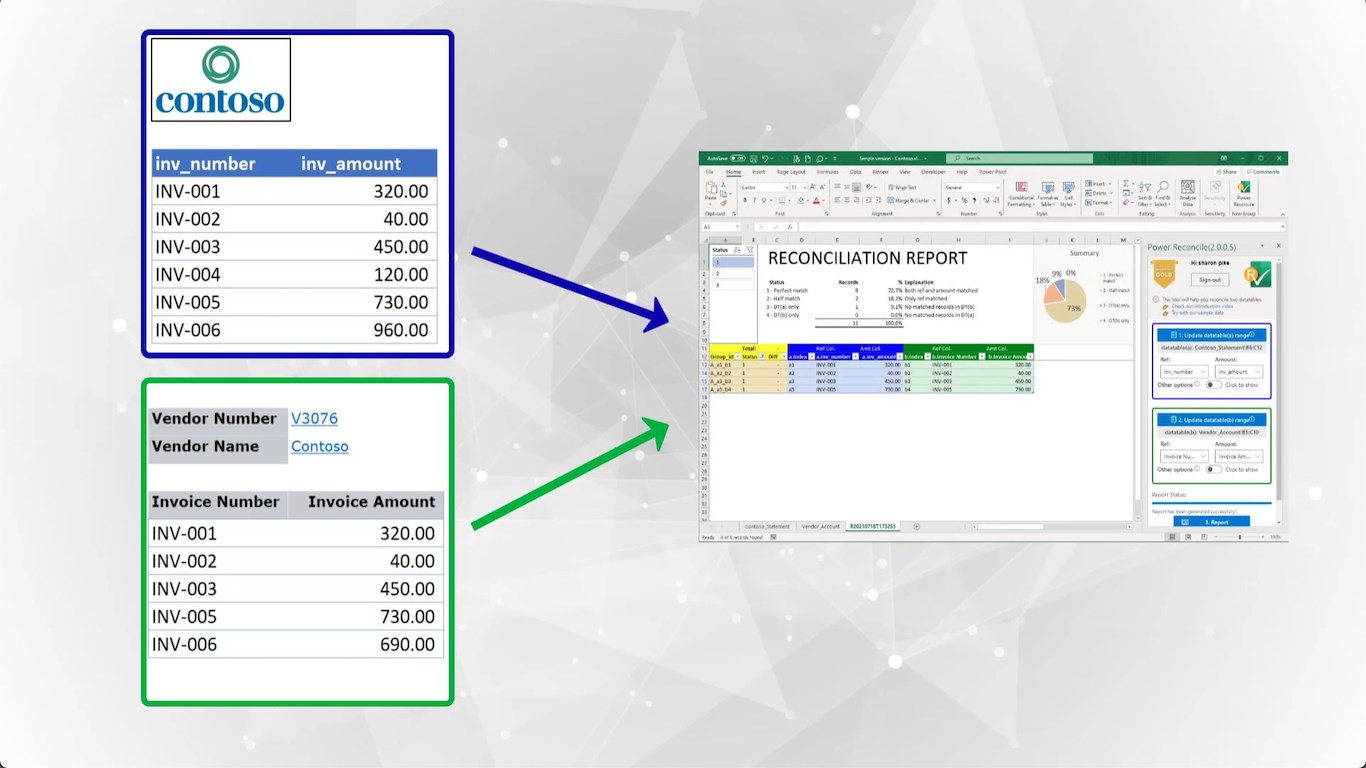
VLOOKUP is great for lookups, but it wasn't designed for reconciliation. Power Reconcile replaces formula-based matching with automated one-to-one matching, duplicate handling, and structured reports.
VLOOKUP and INDEX-MATCH are lookup formulas, not reconciliation tools. They return the first match only (missing duplicates), can't identify unmatched items without wrapper formulas, and don't support split transactions or netting. Power Reconcile automates the entire reconciliation workflow — select two ranges, get a complete report with matches, differences, and exceptions.
VLOOKUP was designed to look up a single value in a table — not to reconcile two data sets. Reconciliation requires one-to-one matching, duplicate handling, exception management, and a structured report. Here's how the approaches compare.
| Feature | Power Reconcile | VLOOKUP / INDEX-MATCH |
|---|---|---|
| Match two data sets | Select ranges, click generate | Build formula per column, copy down rows |
| Handles duplicates | Matches one-to-one correctly | Returns first match only — duplicates missed |
| Finds unmatched items | Automatic — categorized in report | Requires ISNA/IFERROR wrapper formulas |
| Shows differences | Exact difference amount in report | Requires additional subtraction formulas |
| Split transactions | Manual reconciliation dialog | Not possible |
| Multi-item netting | ✅ | ❌ |
| Reusable | Works on any data set instantly | Formulas break when data shape changes |
| Learning curve | 3 clicks | Must learn VLOOKUP, INDEX-MATCH, IFERROR syntax |
| Structured report | 4-category reconciliation report | Raw formula output — manual formatting needed |
| Scales to 10,000+ rows | Under 1 minute | Formulas slow down, manual review impractical |
The biggest issue is duplicates. If invoice #1001 appears three times in your bank statement and twice in your ledger, VLOOKUP returns the first match for every lookup — giving you false "matches" and hiding the real discrepancy. Power Reconcile matches one-to-one, so the third bank entry is correctly flagged as unmatched.
VLOOKUP is perfect for simple lookups — finding a price for a product code, looking up an employee name by ID, or pulling a value from a reference table. For these one-to-one lookups where duplicates don't matter, VLOOKUP is fast and free. Use Power Reconcile when you need to match and reconcile two complete data sets.