Why dealership reconciliation is uniquely complex
Auto dealerships are not like other businesses when it comes to reconciliation. A typical single-point dealership manages 6-10 separate bank accounts (operating, payroll, reserve, customer deposits, body shop, wholesale), a floor plan line of credit with hundreds of active units, thousands of parts transactions per month, and a steady stream of warranty claims submitted to and reimbursed by the manufacturer.
Dealer groups multiply this complexity by the number of rooftops. A 20-store group might run 150+ bank accounts, multiple floor plan lenders, and intercompany transfers that need to net to zero. The controller or office manager responsible for month-end close is matching data from the DMS, the lender portal, the bank, and the manufacturer — all in Excel.
Yet most dealerships still do this with VLOOKUP formulas, conditional formatting, and manual eyeballing. The result: hours of tedious work each month, missed discrepancies that compound over time, and month-end closes that drag into the second week.
The 5 reconciliations every dealership must do
Whether you operate a single store or a multi-brand dealer group, these five reconciliations form the backbone of your month-end close:
1. Floor plan financing reconciliation
Your floor plan lender (Ally Financial, Chase Auto, Ford Motor Credit, Toyota Financial Services, Capital One, NextGear) carries an open balance for every vehicle on your lot. Each month, you need to verify that every VIN on the lender's statement matches a vehicle in your inventory — and that the balances agree after curtailments, payoffs, and new advances.
This is the highest-stakes reconciliation in a dealership. Undetected floor plan discrepancies mean you are paying interest on vehicles you have already sold, or carrying inventory that is not properly financed.
2. Parts inventory reconciliation
The parts department processes hundreds or thousands of transactions per month — customer pay repair orders, warranty repair orders, internal jobs, wholesale orders, returns, and core charges. Parts inventory reconciliation matches your DMS parts ledger against purchase orders, vendor invoices, and physical counts to catch shrinkage, mis-postings, and pricing errors.
3. Warranty claims reconciliation
When your service department performs warranty work, the claim is submitted to the manufacturer for reimbursement. The manufacturer pays some claims in full, adjusts others, and rejects some entirely. Warranty reconciliation matches your submitted claims against the manufacturer's payment report to identify underpayments, rejected claims that need resubmission, and claims that were never submitted.
4. Bank account reconciliation
Standard bank reconciliation applies to every business, but dealerships have more accounts to reconcile — operating, payroll, customer deposit/escrow, body shop, wholesale, and reserve accounts. Each one needs to be matched against the bank statement monthly. For a complete guide to this process, see Bank Reconciliation in Excel: Step-by-Step Guide.
5. Intercompany reconciliation (dealer groups)
Dealer groups transfer vehicles, parts, and cash between locations constantly. A Honda store trades a customer's vehicle to the used car lot at the Nissan store down the road. Parts are shipped between locations for emergency repairs. Cash sweeps move balances between operating accounts nightly. Intercompany reconciliation ensures these transfers are recorded identically on both sides — a debit at one store matches a credit at the other.
Floor plan reconciliation: step by step
Floor plan reconciliation is the most critical and most time-consuming reconciliation in a dealership. Here is how to do it in Excel — manually and with Power Reconcile.
Step 1: Export your floor plan lender statement
Log into your floor plan lender's portal and download the current statement as Excel or CSV. The statement typically includes: VIN, stock number, vehicle description, original advance date, advance amount, curtailments paid, and current balance. If your lender only provides PDF statements, convert them to Excel first.
Step 2: Export your DMS inventory
Export your active vehicle inventory from your DMS (CDK Global, Reynolds & Reynolds, Dealertrack, DealerSocket) to Excel. Include VIN or stock number, vehicle description, cost, days in stock, and status. Filter to the same vehicle categories your floor plan covers — typically new vehicles, and sometimes used vehicles depending on your lender arrangement.
Tip: Make sure both exports are as of the same date. A lender statement dated the 1st and a DMS export from the 5th will show discrepancies for every vehicle sold, traded, or received in those four days.
Step 3: Match by VIN (manual method)
On the lender statement sheet, add a column and use VLOOKUP to find each VIN in your DMS inventory:
=IFERROR(VLOOKUP(A2, Inventory!A:E, 4, FALSE), "NOT IN DMS")
Then repeat on the DMS sheet, looking up each inventory VIN in the lender statement. Items marked "NOT IN DMS" are vehicles the lender is charging you for that are not in your inventory — likely sold units awaiting payoff. Items in your DMS not found on the lender statement may be cash purchases, recent acquisitions not yet floored, or floor plan applications in process.
Step 3 (alternative): Match with Power Reconcile
Instead of building VLOOKUP formulas, use Power Reconcile to automate the matching:
- Open Power Reconcile in Excel and select the lender statement range as Table A.
- Select the DMS inventory range as Table B.
- Choose VIN (or stock number) as the reference column and the balance/cost as the value column for each table.
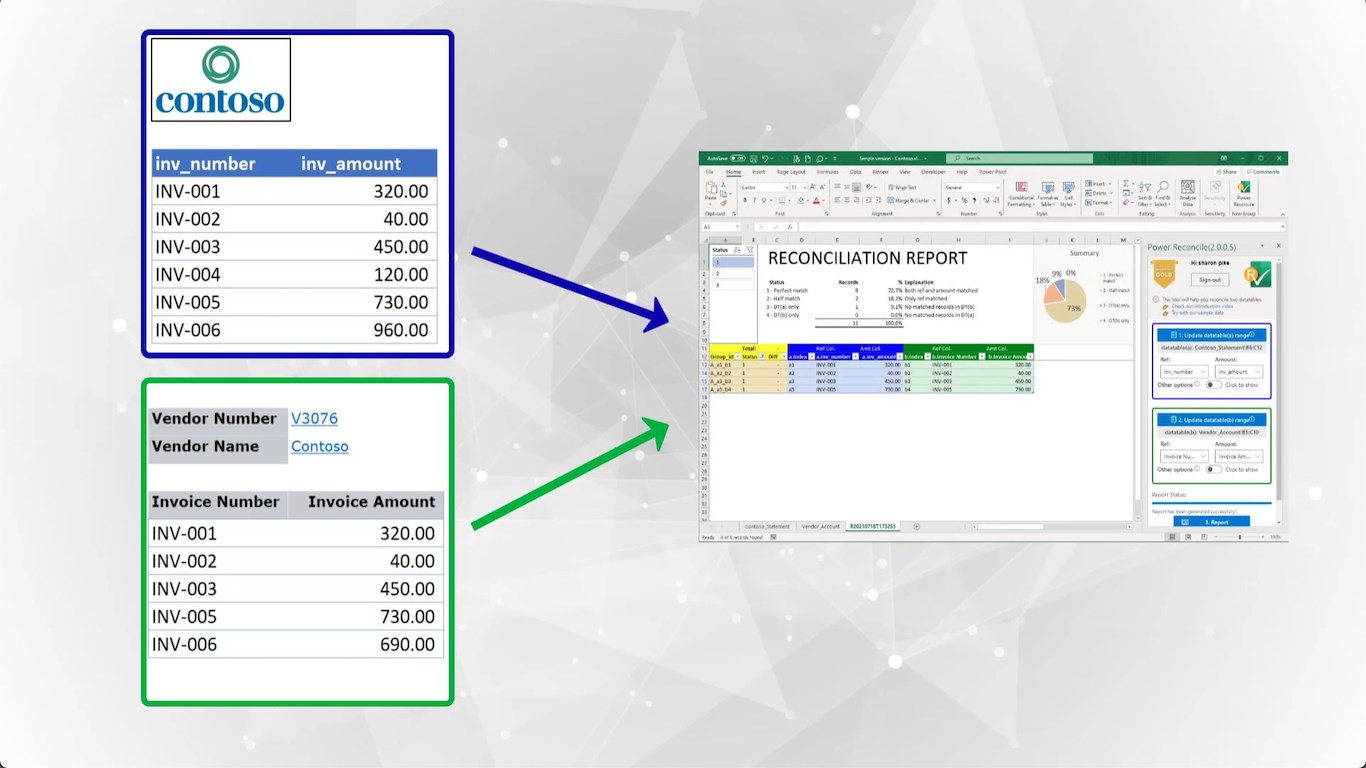
- Click "Generate Report." Power Reconcile matches every VIN, flags discrepancies, and produces a categorized report in seconds.
A floor plan with 300 active units takes under a minute to reconcile with Power Reconcile vs. 1-2 hours manually scanning VIN by VIN.
Step 4: Investigate discrepancies
The reconciliation report categorizes every record into four groups:
- Perfect matches: VIN exists on both lists with the same balance. No action needed.
- Value differences: VIN matches but the amounts differ. This usually means a curtailment was paid but not yet reflected on the lender statement (or vice versa). Verify the timing of your last curtailment payment.
- Only on lender statement: The lender is carrying a balance for a VIN not in your inventory. Likely a sold vehicle — submit the payoff immediately to stop accruing interest.
- Only in DMS inventory: You have a vehicle in stock that is not on the floor plan. It may be a cash purchase, a recent trade-in not yet floored, or a floor plan application still in process.
Warning: Vehicles on the lender statement but not in your inventory are costing you money every day in floor plan interest. A single forgotten payoff on a $50,000 vehicle at 6% APR costs roughly $250/month. Across a dealer group, these "sold not paid" units add up fast.
Step 5: Resolve and document
For each discrepancy, record the action: submit payoff, verify curtailment, correct data entry, or flag for further investigation. Save the reconciliation report — it is part of your month-end close package and may be requested during audits or floor plan audits by the lender.
Parts and warranty reconciliation
Parts inventory
Export your parts purchase orders or vendor invoices and your DMS parts ledger to Excel. Match by part number or invoice number. Common discrepancies include: parts received but not invoiced (packing slip without a matching invoice), invoiced but not received (vendor billed for a backordered part), and pricing differences (quoted price vs. invoiced price). For dealerships with high parts volume, monthly reconciliation catches shrinkage and mis-postings before they accumulate.
Warranty claims
Export your submitted warranty claims from the DMS and the manufacturer's payment/remittance report. Match by claim number or repair order number. The three outcomes you are looking for: paid in full (amounts match), adjusted (manufacturer paid less than claimed — investigate why and resubmit if appropriate), and missing (claim submitted but not appearing on the payment report at all — follow up with the manufacturer).
Warranty recovery is real money. A mid-size dealership with 200 warranty claims per month might find 5-10% were underpaid or not paid at all. At an average claim value of $300-500, that represents $3,000-$5,000 per month in recoverable revenue.
Scaling reconciliation across a dealer group
For single-point stores, reconciliation is a manageable monthly task. For dealer groups operating 10, 20, or 40+ rooftops, it becomes a full-time job — or a bottleneck that delays month-end close across the entire organization.
The challenges specific to dealer groups include:
- Multiple floor plan lenders: Different brands often require different lenders. A group with Honda, Nissan, and Ford stores might use three separate floor plan providers, each with its own statement format.
- Intercompany vehicle transfers: When a vehicle moves from one store to another, both stores need to record it. If one records the transfer and the other does not, the intercompany account will not balance.
- Centralized vs. distributed accounting: Some groups run accounting centrally; others let each store manage its own books. Either way, the reconciliation data comes from each store's DMS, and someone needs to compile and reconcile it.
- Acquisitions: When a group acquires a new dealership, the new store's data is often in a different DMS. Reconciling inventory and financial records during the transition period requires matching data across systems — exactly what Power Reconcile is built for.
Power Reconcile works with any data in Excel — regardless of which DMS, lender, or manufacturer generated it. Export both sides to Excel, select your ranges, and reconcile. The same workflow works whether you have one store or forty.
Manual vs. automated: the real cost comparison
Here is what reconciliation looks like for a typical 10-store dealer group:
| Reconciliation task | Manual (VLOOKUP) | Power Reconcile |
|---|---|---|
| Floor plan (per store) | 1-2 hours | 5 minutes |
| Bank accounts (per store, 6 accounts) | 2-3 hours | 20 minutes |
| Parts inventory (per store) | 1-2 hours | 5 minutes |
| Warranty claims (per store) | 30-60 minutes | 5 minutes |
| Intercompany transfers | 2-4 hours | 15 minutes |
| Total for 10 stores | 50-75 hours/month | 6-8 hours/month |
At a controller's fully loaded cost of $40-60/hour, the manual approach costs $2,000-$4,500 per month in labor alone. Power Reconcile costs $149/year per user.
Dealership reconciliation best practices
- Reconcile floor plan weekly, not monthly. Vehicles sell every day. A monthly floor plan reconciliation means you could carry a sold-not-paid unit for 30 days, accruing unnecessary interest. Weekly checks take minutes with an automated tool and catch payoff gaps immediately.
- Match dates between exports. The number one cause of false discrepancies is mismatched export dates. If your lender statement is as of the 1st, export your DMS inventory as of the 1st — not the day you happen to sit down to reconcile.
- Track "sold not paid" units daily. Every vehicle that appears on the lender statement but not in your inventory is a sold unit that has not been paid off. This is the most expensive mistake in dealership accounting — floor plan interest on vehicles you no longer own.
- Do not force the reconciliation to balance. If there is a difference, find it. Creating a "reconciliation adjustment" to make the numbers match masks real problems — and floor plan lenders audit their dealers. An unexplained adjustment invites scrutiny.
- Keep reconciliation reports for audit. Floor plan lenders, manufacturers, and external auditors may request your reconciliation records. Save each month's reconciliation with the date, who performed it, and any notes on resolved discrepancies.
- Standardize the process across stores. In a dealer group, every store should follow the same reconciliation workflow using the same tools. This makes it easier for a centralized controller to review, and ensures consistency when staff turns over.
Common floor plan reconciliation mistakes
- Ignoring VINs that "almost match." A single transposed character in a 17-digit VIN causes a mismatch. VLOOKUP sees it as two different vehicles. Always investigate unmatched items — many are data entry errors, not genuine discrepancies.
- Not reconciling demo and loaner vehicles. Demo and loaner units are still on your floor plan but may not appear in the "active inventory" export depending on your DMS filter settings. Make sure your DMS export includes all floored units, not just retail-available stock.
- Skipping wholesale and auction units. Vehicles sent to auction or wholesaled are often removed from the DMS before the floor plan payoff clears. They show up as lender-only items in the reconciliation. Track them until the payoff is confirmed.
- Relying on stock numbers instead of VINs. Stock numbers are dealer-assigned and can be reused or changed. VINs are permanent and unique. Always use VIN as your primary matching field for floor plan reconciliation.